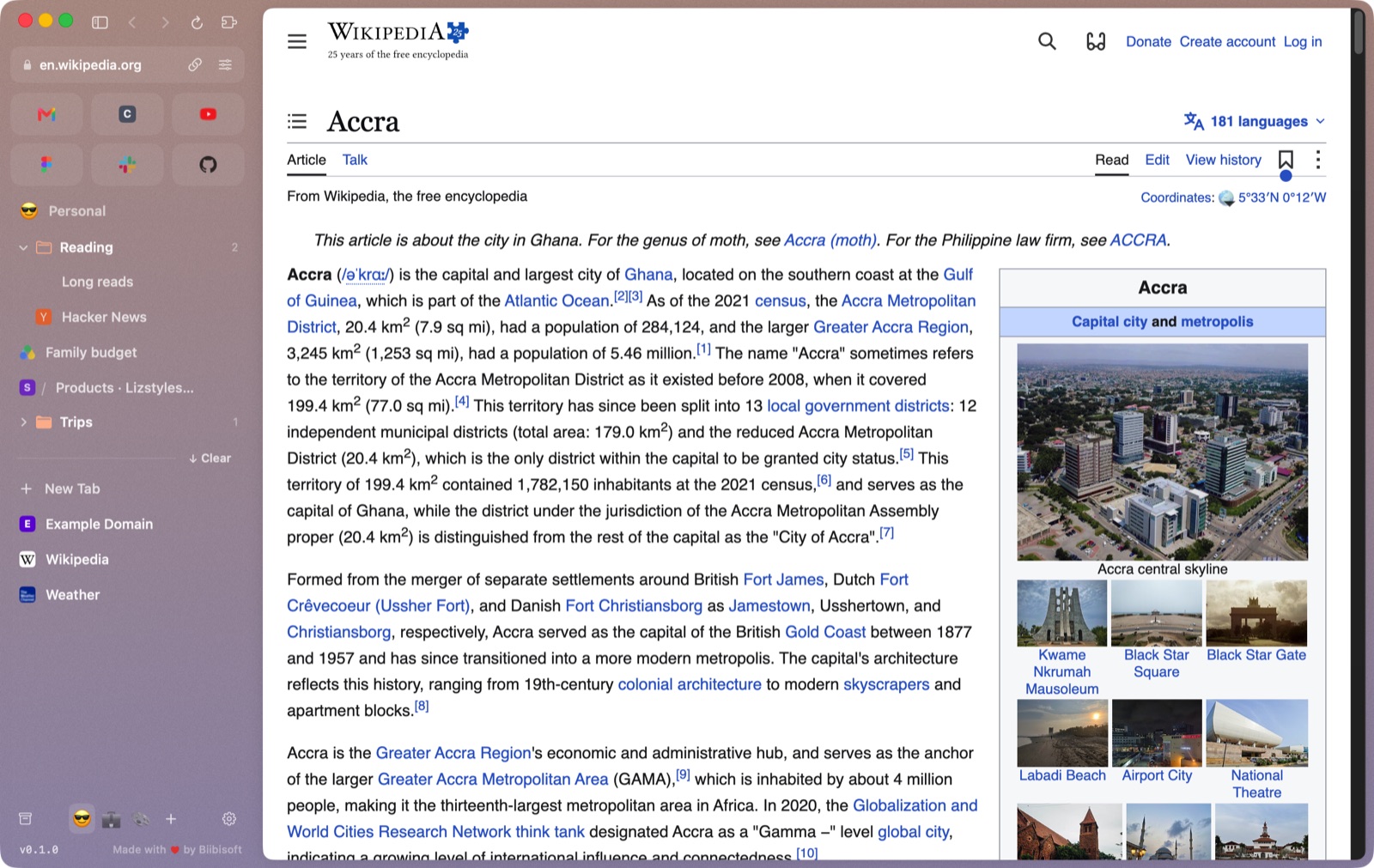
Spaces
⌃1–9
A space for each part of your life, each with an emoji, a colour that can fade into a second one, and its own pinned tabs and folders. Swipe sideways on the sidebar to move between them. Give a space its own logins and it gets its own cookies, sign-ins and extension data, so work and home never mix.
Pinned tabs that remember
⌘D
A pinned tab keeps the page you pinned. Wander off and it shows where you are; one click takes you home. ⌘W puts it to sleep instead of losing it.
Peek
Links that would open a new tab open as a card over the page. Read it, then close it or keep it as a tab.
Command bar
⌘T
Addresses, searches, open tabs in every space, your history and commands, all in one box, with results as you type even across thousands of pages.
A tidy sidebar
Today's tabs sit below the pinned ones and go to the Archive after 12 hours unseen, or when you say. Anything archived comes back in a click.
Chrome extensions
Add any extension from the Chrome Web Store. Ad blockers, password managers and userscripts work, and pinned ones sit above your favorites. Developers can load unpacked extensions that reload as you save.
Passwords
⌥⌘P
One set for every space, encrypted on your Mac with a key in your Keychain. Showing or copying one asks for Touch ID. Blawsa fills only the exact site a login was saved for.
Private windows
⇧⌘N
Nothing you visit is kept: no history, no saved tabs, and cookies that live in memory and vanish when you close the window.
Light on your Mac
Tabs you haven't looked at in a while go to sleep, and come back showing the page as you left it while it reloads. The cache has a sensible size, so Blawsa doesn't fill your disk.